 English
 العربية
 Le français

What is the best posture for sitting at a desk?
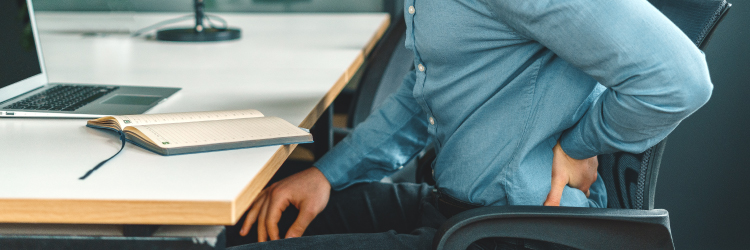
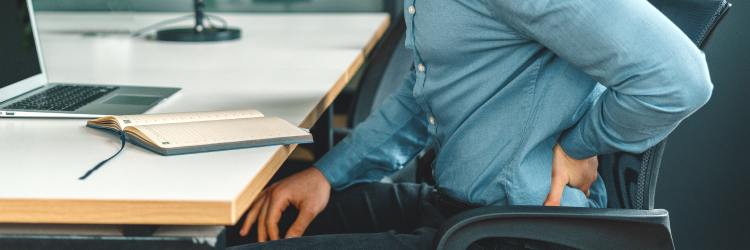
A question that I have been asked for many years and a question that has been growing more and more since the coronavirus! Many jobs require you to sit at your desk all day, especially since working from home has been promoted. And let's not forget the students who also have to sit for long periods of time. We are well aware that prolonged sitting and a sedentary lifestyle can have adverse effects on our health.
However, it's not always possible to stay active at work, so we need to optimize the way we work to avoid ergonomic pain. Surely you could say that there is no "best posture" for sitting 12 hours a day, because we weren't designed for that, but rather better postures or positions.
As a physio, it's easy for me to say to be more active at work, as I spend most of my day moving around, assessing patients, and doing exercise demonstrations. However, I understand that in reality most people are unable to stay active at work, so some tips to optimize your health at work.
Support your chair
a properly adjusted chair should provide support for your lower back. You should be able to rest your lower back on the chair and not need to stand or lean forward.
Adjustable chair
a chair that can be adjusted in different ways can be helpful. A key adjustment is making sure the height of the chair is appropriate. Try to have your forearms level with the keyboard to avoid excessive wrist flexion or extension - this can reduce the risk of repetitive strain injury. With the lower limbs, aim for your knees to be in line or slightly lower than your hips.
Position of the feet
place your feet flat on the floor or use a footrest if necessary. Avoid letting the legs hang off the chair. Try to avoid crossing your legs or sitting on your legs.
Screen location
make sure your screen is directly in front of you and about an arm's length away from you. The top of the screen should be approximately at eye level. We want to avoid looking up or down.
Keyboard and mouse
your keyboard should be directly in front of you with a clearance of about 6 inches from the edge of the desk. This will give you some room to rest your forearms. Your mouse should also be nearby to avoid overreach. Using a keyboard and mouse wrist rest is a great way to unload some of the upper extremity muscles and can also help prevent repetitive strain type injuries from sustained wrist extension.
Laptop
Small, practical and easy to carry, but not ideal for prolonged use. Ideally, a desktop computer is much better for us for a long time, but it comes at a price and takes up space. To optimize your laptop setup, use a laptop stand to bring the screen up to eye level. Try to avoid using it on your lap! If possible, use an external mouse and keyboard, this will allow for better screen setup and a more relaxed posture in your upper body.
Screen glare
Avoid reflections and glare as much as possible. Not only will this help your eyes, but it will also prevent you from leaning forward to see the screen better.
Telephone
keep your phone nearby to avoid having to twist or bend too much during a call. Avoid the dreaded shoulder phone! If you use the phone a lot, it may be worth investing in a headset.
Take regular breaks
set timers or reminders to get up and move. Go to the printer, fetch water, stretch, anything but sit…oh and don't get up or stare at your cell phone either! Micro-breaks are a great way to give our bodies some physical and mental rest. Take a break before you hurt - similar to the advice above, but rewritten to encourage movement. Don't wait for your neck to start hurting before you move on, we want to be proactive in managing our conditions and pain. Regular movement and mobility is helpful whether or not you feel pain.
Share :
Add New Comment